

Up and running in minutes, not days.
Whether you are setting up your own organisation, joining a colleague’s workspace, or advising multiple clients, Senserity is designed to get you productive quickly. No installation, no configuration, no training courses.

See Senserity in action
A short introduction to what Senserity does and how it helps you understand the companies you work with and the risks that matter.
Three ways to get started
Senserity supports different user journeys depending on your role. Each path takes less than two minutes.
Create your organisation
Sign up with your work email and Senserity creates a new workspace for your organisation. You become the owner and can invite team members, configure settings, and start adding companies to your watchlist immediately.
Every new organisation starts with a 30-day trial that includes expanded access to the full platform. After 30 days you can choose a paid plan or continue on the free tier with up to three companies.
- 1.Sign up with Google or Microsoft
- 2.Name your organisation
- 3.Add your first company and run an assessment
Join your team
If a colleague has already set up your organisation on Senserity, they can invite you by email. You will receive an invitation link that creates your account and places you into the existing workspace with access to the shared watchlist, reports, and alerts.
Your role and permissions are set by the organisation owner. You can start reviewing company profiles and generating reports as soon as you accept the invitation.
- 1.Click the invitation link in your email
- 2.Sign in with Google or Microsoft
- 3.You are in — the shared watchlist is ready
Work across multiple organisations
Accountants, auditors, business advisers, and consultants often need to work with several organisations. Senserity supports multi-tenant membership: a single login gives you access to every organisation that has invited you, and you can switch between them instantly.
Each organisation maintains its own watchlist, reports, credits, and settings. Data is never shared between organisations. You see only what each organisation has granted you access to.
- 1.Accept invitations from each client organisation
- 2.Switch between organisations from the sidebar
- 3.Each workspace is independent and private
Help built into the product
Senserity is designed to be self-explanatory, but when you need guidance, it is always within reach.
Guided tours
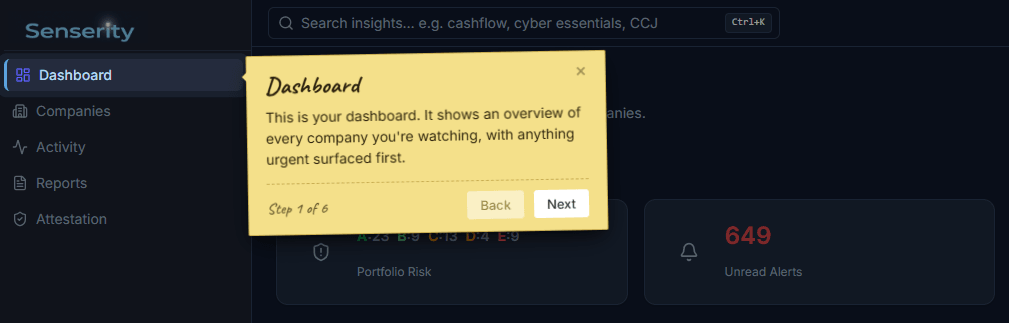
Interactive step-by-step tours walk you through each area of the platform. Tours run automatically on your first visit and can be replayed any time from the help menu.
Contextual help
Every insight test, risk category, and feature includes an explanation accessible from the interface. Hover or click the help icon to understand what you are looking at and why it matters.
Help Centre
Concept articles, how-to guides, a full test catalogue, and a glossary of specialist terminology. All accessible from within the product and from the public Help Centre.
Secure by design
Sign in with Google, Microsoft, or a passwordless magic link sent to your email. Organisation data is isolated at every level: each workspace has its own watchlist, results, reports, and credits. Multi-tenant users can only see what each organisation has granted them access to. All data is hosted on UK infrastructure owned by Blueloop Limited.
Ready to get started?
Create your free account in under two minutes. No credit card required.